







 15.08.2023
SETTING PAYMENT METHOD
Dear valued partners,
To ensure that all transactions can be processed quickly and accurately, we recommend store owners to register and manage payment methods.
How to Set Up Payment Method for Your Store
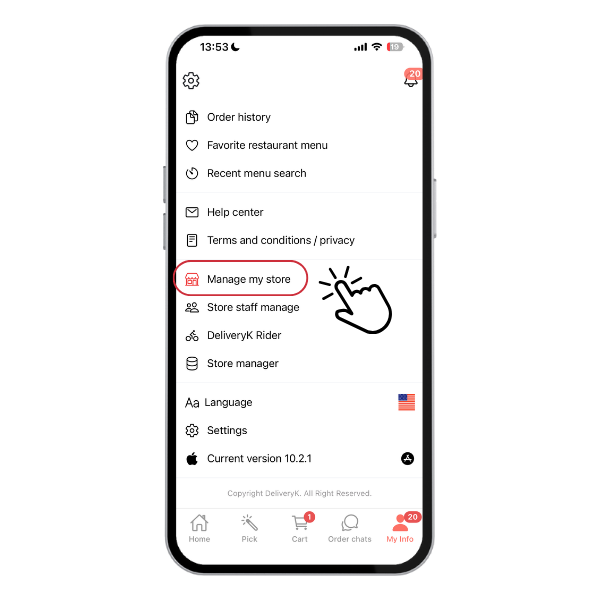
STEP 1:
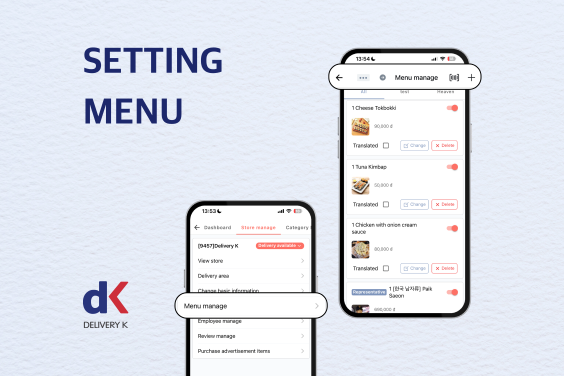
Navigate in My Info > Manage my store
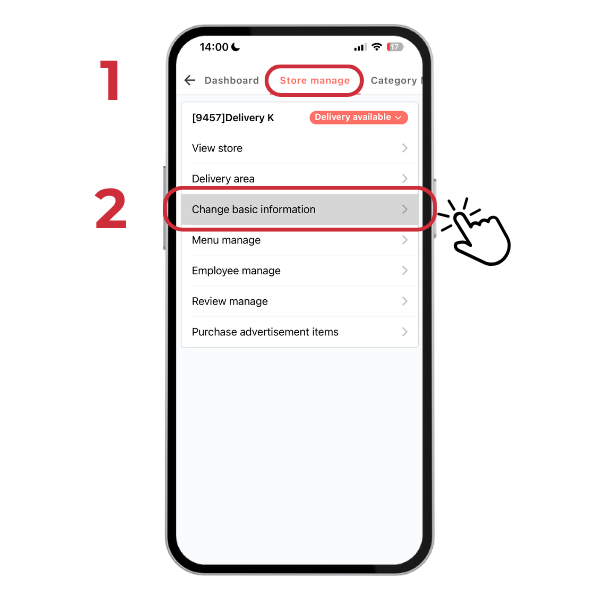
STEP 2:
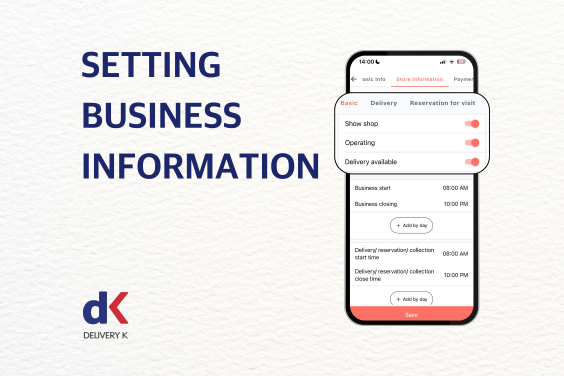
Go to Store Manage > Change Basic Information
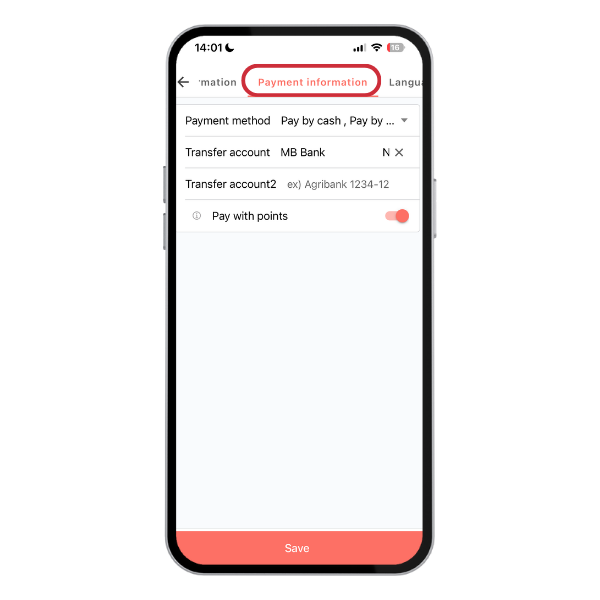
STEP 3:
Click “Payment information” > Update your preferred payment method.
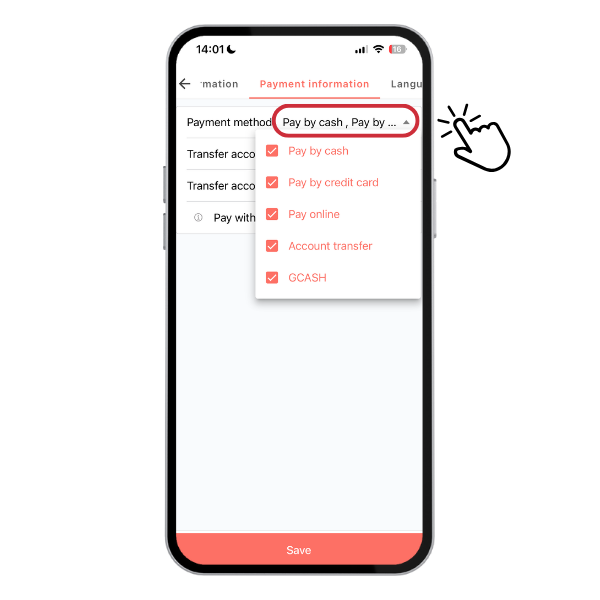
Important Notes:
- There are four payment methods: Cash, Credit Card, Online Wallet, and Bank Transfer.
- Delivery K app is integrated with OnePay, an online payment service provider, allowing customers to make prepaid transactions using their ATM, VISA, MasterCard, or JCB cards registered in the app.
- If you’d like to activate the online payment service, please contact your sales manager for detailed instructions.
For further guidance on online payment registration, card usage, and discounts, please contact Delivery K Customer Support.
Thank you!
Delivery K

Chia sẻ bài viết: