







 15.08.2023
SETTING DELIVERY ZONES & FEES
Dear valued partners,
To optimize your delivery process and enhance your order tracking and management experience, it is essential to effectively configure your delivery area and associated fees.
How to set up delivery areas and delivery fees on the Delivery K App
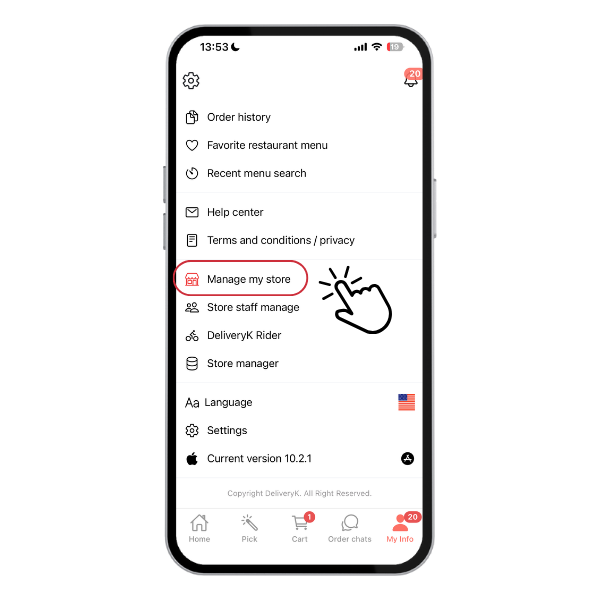
Step 1: Access Store Management
- Open the Delivery K app and log in to your “Partner Account.”
- Navigate in My Info > Manage my store
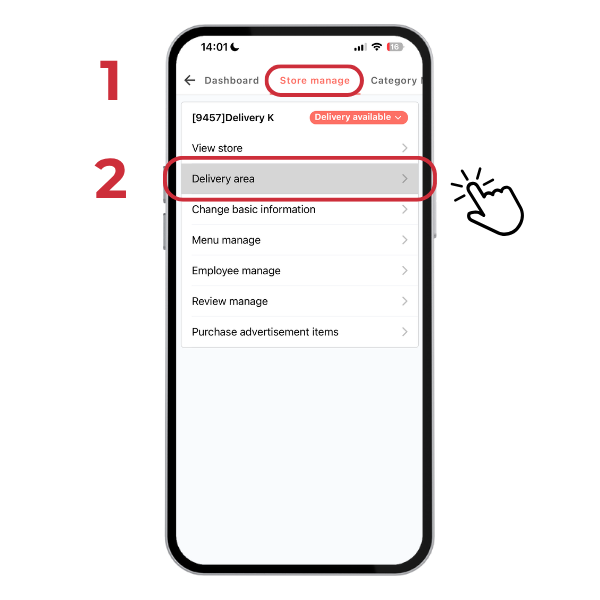
Step 2: Set Delivery Zones
- Navigate to Delivery Area > Click “+ Additional” button > Select area template.
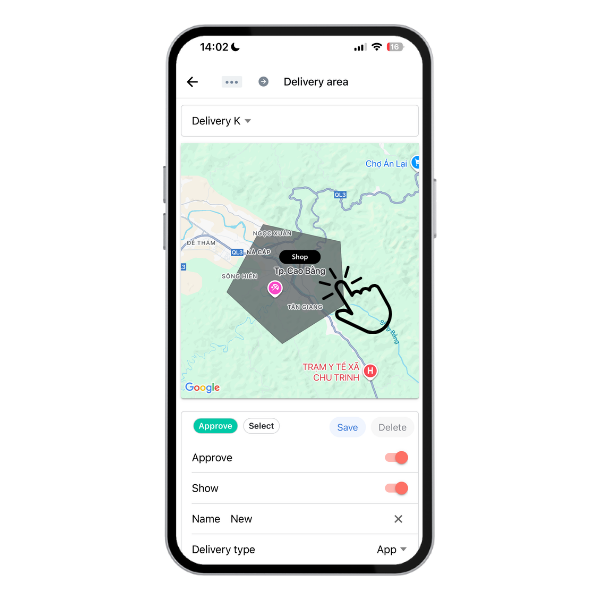
**Note: Delivery area that is too large may lead to delay or cancel order.
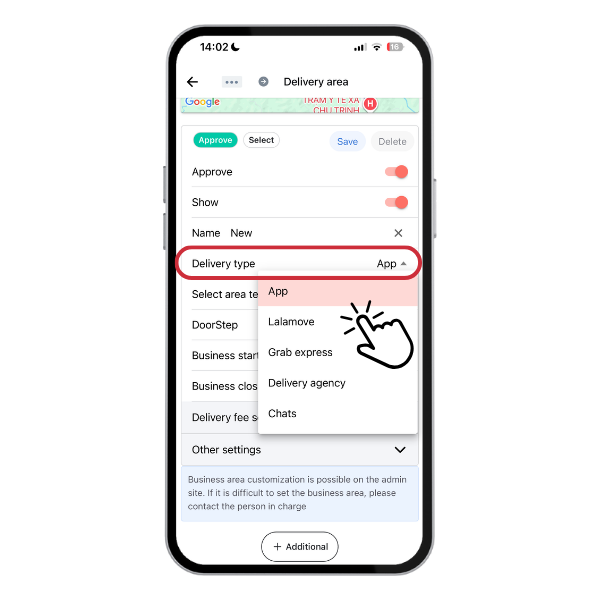
Step 3: Select Delivery Type
Our app offers 4 primary delivery options:
- App (Utilizes app data to calculate shipping fees, with the store responsible for delivery.)
- Lalamove
- Grab express
- Chats
**Note: The “Door Step” option is only for stores with door-to-door delivery capability.
Step 4: Set Delivery Fees
Delivery fee calculation formula: Basic delivery charge + Extra fee charged per KM.
For example:
- 2 km: 10,000VND
- 2-3 km: 15,000VND
- 3-4 km: 20,000VND
- 3km or more: 20,000VND (Because the maximum delivery fee is set at 20,000VND)
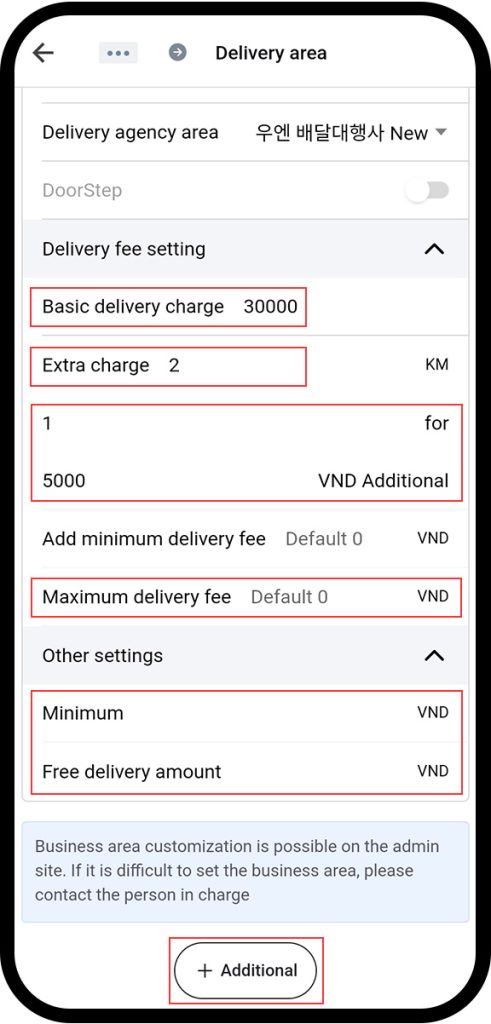
Store owners can set a Minimum Order value + Free delivery option in ‘Other settings‘ section > Click ‘Additional‘ to add another delivery zone.
**Note: When setting the Minimum Order, the store will not receive orders with a value lower than the Minimum Order.
Thank you!
Delivery K